Finding local businesses and products
Browse all products with filters, search by keyword and postcode, browse the A-Z category directory, and use distance to find verified local businesses and their products near you. Get an email when a shop near you joins or one you follow posts something new.
There are four ways to find what you're after on LocalFor.Me: browsing all products, searching, browsing categories, and opening a business profile directly.
Browse all products
The Browse products page (linked from the footer, or via Browse all products → next to the New on LocalFor.Me strip on the homepage) lists every product for sale across the platform, newest first.
- Search within it by keyword — typos are tolerated, so "cofee" still finds coffee.
- Open the collapsible Filters panel for a price range (£ min/max), delivery (Post or Pickup), In stock, Made to order, and sort by newest or price (low→high / high→low).
- Narrow by category with the chips along the top.
No postcode needed here — it's the whole platform. To rank results by distance, use Search with a postcode instead.
Browse what's near you
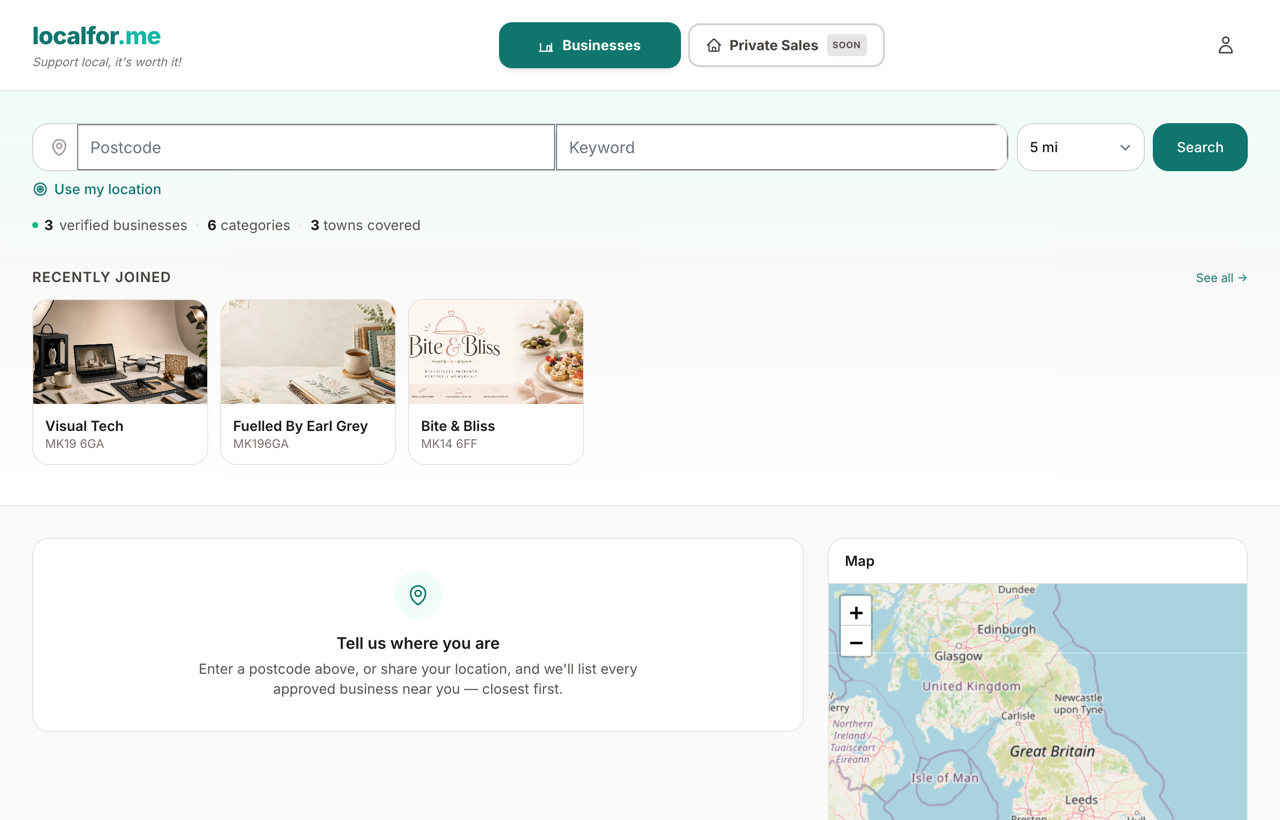
The Local Businesses page (the homepage) is built around your location.
- Enter your postcode, or tap Use my location to let your browser share where you are.
- Choose a radius from the distance selector. The options are 5, 10, 15, 20, 25 and 50 miles — 5 miles is the default for a tight 'in your bit of town' feel; 50 miles helps in rural areas.
- The map and the list below update to show approved businesses nearest first.
If you haven't given a location yet, the page doesn't go blank: beneath the category browser you'll find All verified businesses — the full directory, A–Z and paginated. Add a postcode (or share your location) whenever you want distance-ranked results and the map instead.
Search by keyword
Type what you want into the search box (for example 'dog groomer' or 'sourdough'). Keyword searches open the deeper /search/ page, which gives you more control:
- Postcode and radius — searches start at your chosen distance and automatically widen (5 → 10 → 25 → 50 miles) if nothing matches nearby, telling you when it has done so.
- Category filter — narrow results to one part of the directory.
- Verified only — show only businesses we've verified.
- Has a shop — show only businesses you can buy from on-site.
- Sort — Nearest (the default when you've given a postcode), Best match for keyword relevance, Name A–Z, or Newest.
Results come in two parts: matching businesses and matching products — so a single great product a bit further away still surfaces. Both are counted honestly: the header tells you "Showing 1–20 of N places", and the page's Previous / Next controls keep your postcode, keyword, category, radius and sort intact.
No postcode? No problem. A keyword search without a postcode still answers with matching businesses (ranked by relevance — exact and prefix name matches first) and matching products from across the platform. Add a postcode whenever you want those results ranked by distance and plotted on the map.
Get alerts when something new appears
Two kinds of email save you coming back to check:
- Waitlist for an area. When a search finds nothing nearby, the empty-results panel offers Email me when a business joins. Leave your email there (your postcode and radius are attached automatically) and we'll send you a single email if an approved business opens within that radius of your postcode area. It's a one-off message tied to that one request — there's no mailing list and nothing to unsubscribe from.
- New items from shops you follow. Tap the heart on a business to favourite it, and we'll email you when the shops you follow publish new products. Alerts are batched into a single email, sent once a day, and each one names the shop and links straight to the item. To stop them, open the shop's page and remove your favourite.
Browse by category
The A-Z category grid groups every type of business into themed sections such as Home & Trades, Health, Beauty & Wellbeing, Lessons & Education, Creative & Media, Business & Professional, and Everything Else. Only categories with live products are shown, so you never click into an empty one.
Selecting a category opens its /c/ page. There you'll see:
- The category's subcategories, each with a live product count.
- A grid of the latest products across that whole category, newest first, 24 per page with Previous / Next controls.
Category pages show the newest products platform-wide, not just near you. To find products close to you, use Search with a postcode instead — that's the distance-aware tool.
Browse by town
Every town with a live listing has its own page under /areas/ (linked from Browse by town in the footer): pick a town to see its shops A–Z, or combine it with a category to see that category in that town. Town pages are paginated 24 per page and 404 politely when nothing is listed there yet.
Opening a business
Click any business card to open its profile. There you can read about them, see their items, contact them, and — where the business has enabled it — add products to a basket.